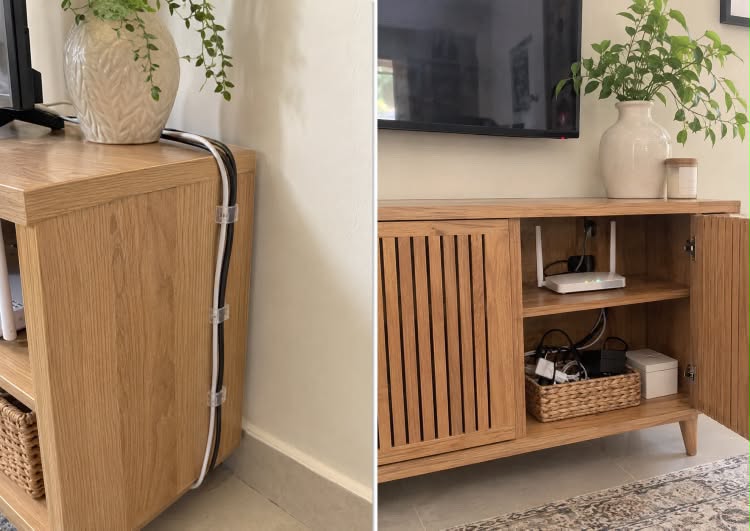
Be honest. When guests come over, where do their eyes go? Not to your lovely sofa or your cushions. They go straight to the router corner.
We all have that corner. A blinking router, a fat extension board and a bunch of wires going who-knows-where.
And you can’t just remove it. We need the internet, right? (My laptop would cry.)
So here is my deal with you: no new furniture, no holes in the wall and no big budget. Just 10 easy fixes I would try myself, from a simple basket to a slim wall channel.
btw, one thing before we start. A tidy router corner should never hurt your Wi-Fi. So I’ll also tell you what NOT to do near the end.
Pick the idea that fits your corner, and let’s clean it up.
10 Ways to Hide Router Wires and Cables
1. Hide Router Wires Inside a Decorative Woven Basket

Let’s start with my favourite, because it looks like decor and not like a cable fix.
A natural seagrass, wicker or rattan basket can hide your extension board, big adapters and all the extra cable length.
Here is how: put the power strip and the spare cable inside an open-weave basket. Leave a small opening at the back so the cable can reach the wall socket.
Place it beside the TV console, under a side table or near the wall where your internet comes in. Natural baskets look great with neutral rooms and wooden furniture.
One rule: Keep the router itself outside the basket. Don’t cover its vents or antennas. I always say: the basket is for cables, not for a machine that gets warm.
What you need:
- Woven Seagrass Storage Basket: Hides loose cables and small accessories.
- Cable Management Box: Keeps the power strip and extra wire tidy.
2. Use a Dedicated Cable Management Box
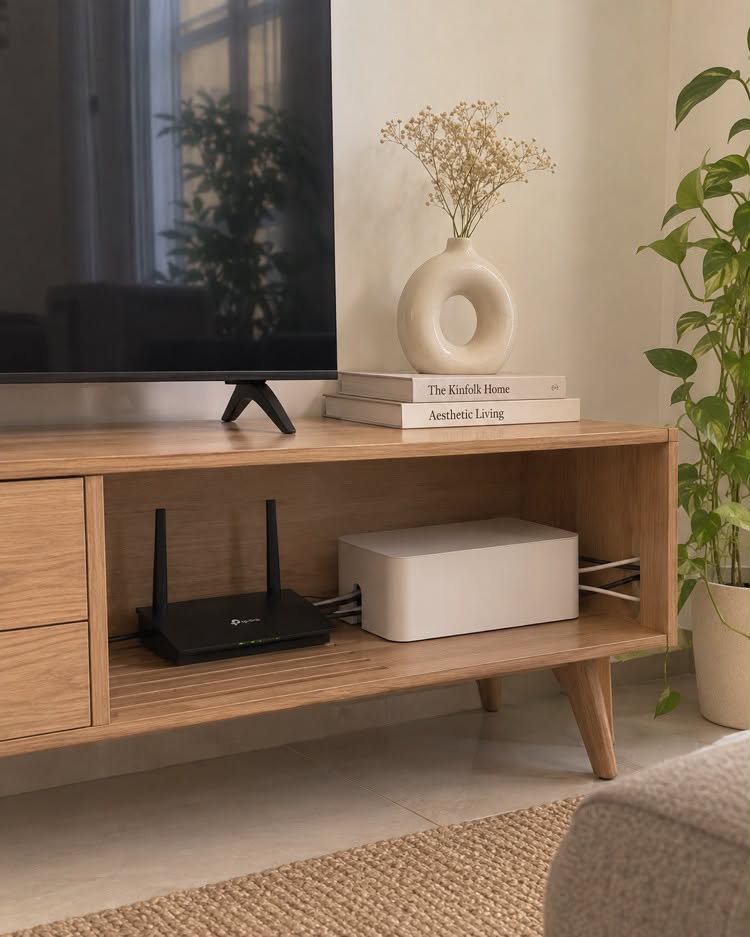
Sometimes the router is not the problem. It’s the plugs and adapters sitting around it.
A cable management box is made for exactly that mess. Cables go in and out through openings at the sides, and the power strip stays hidden inside.
Put it behind your TV stand, next to a console or under an open shelf. I’d pick white, beige or a wood look. A bright plastic box will stand out for the wrong reasons.
Check the size before you buy. Your power strip and adapters should fit without being squeezed.
Safety note: Don’t use the box for things that get hot. It is for cables and power strips. Follow the maker’s rules for airflow and electrical safety.
Grab these:
- Large Cable Management Box: Hides a power strip and loose wires in one place.
- Wood-Effect Cable Organiser: Matches natural wood furniture nicely.
3. Run Router Wires Behind Your Furniture
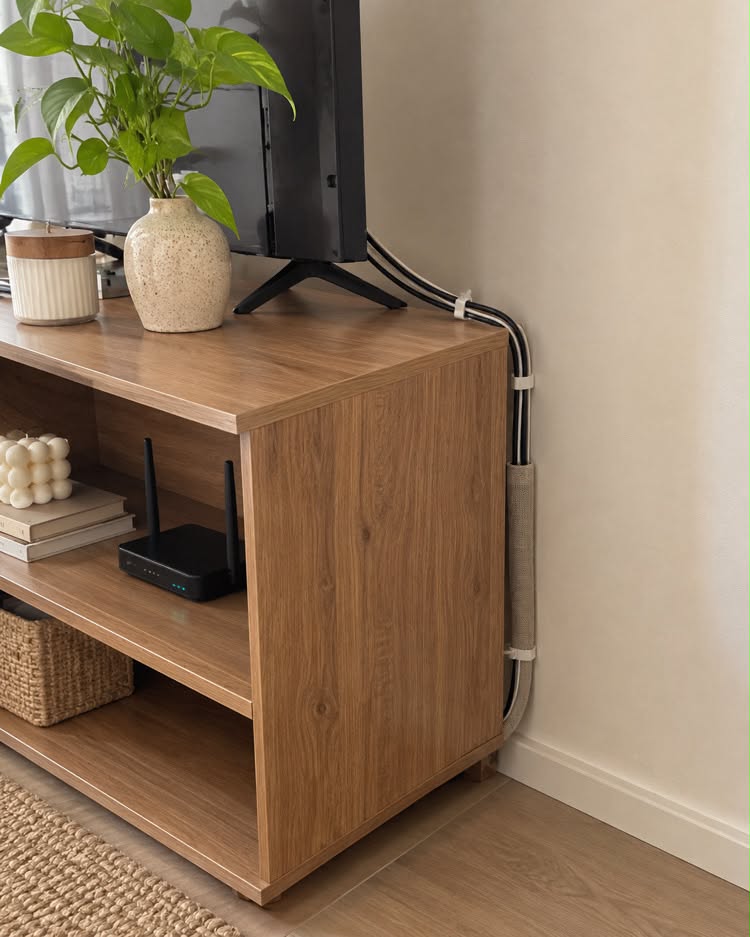
If your router sits near the TV or another piece of furniture, the wires are usually visible because they hang down the back.
Your furniture can hide most of that, and we don’t need any tools for it.
Pull the cables behind the furniture and group them by where they connect. Hold them together with reusable straps, then run them along the back leg or back edge.
If your console has an open back, even better. You can sort the cables and still reach the router.
Just don’t squeeze everything into one tight bundle. Leave space around power adapters, and make sure no wire gets stuck between the furniture and the wall.
Shopping list:
- Cable Management Sleeves: Turn several loose wires into one neat bundle.
- Reusable Cable Ties: Keep the extra length tidy behind the furniture.
Shop: Cable Sleeves on Amazon
4. Install a Paintable Cable Raceway Along the Wall

Sometimes one wire running across a clean wall is the whole problem.
It starts near the router, crawls along the skirting board and shows up again near the TV or socket. You see it every single day, and trust me, you can’t unsee it.
A paintable cable raceway fixes that. It is a slim channel that covers the wire. Get a white one for light walls, or paint a paintable one to match your wall.
It is great for rentals too, because some models use sticky tape instead of screws. But check the surface rules and test a small hidden spot first.
Plan the route before you stick anything. Follow the wall edge or the skirting board, not a random diagonal line.
You’ll need:
- Paintable Cable Raceway Kit: Covers visible wires and blends into the wall.
- Corner Cable Raceway Connectors: Make clean turns around corners.
5. Place Your Router on a Stylish Open Shelf

Not everything has to disappear. Sometimes the router just needs a proper home.
A small wooden wall shelf or an open console shelf makes the setup look planned, instead of a box dumped on the floor.
Pick a shelf that matches your furniture. Light oak, walnut and natural wood look lovely in neutral rooms. Hide the cables behind it with clips or a slim channel.
Keep the router the way the maker suggests (usually upright), and leave open space around the vents and antennas.
Bonus: a central spot is often better for your Wi-Fi coverage too.
Pick up:
- Wooden Floating Router Shelf: Gives your router its own neat spot.
- Adhesive Cable Clips: Hold wires along the wall, where the surface allows.
Related : 12 Easy Indoor Shelf Plant Decor Ideas for a Cozy Home
6. Use a Decorative Storage Basket for Extra Cables

Is there a drawer at home full of old internet cables and adapters? We all have one.
Instead of letting them spread across the floor or hide in random drawers, put the unused ones in a small woven basket.
A round seagrass basket or a soft fabric basket looks like part of your decor. A basket with a lid gives an even cleaner look.
One rule: keep plugged-in equipment and warm adapters out of closed fabric storage.
The idea is simple. Hide what you don’t use. Keep what you do use easy to reach.
Add to your list:
- Round Woven Storage Basket: Adds natural texture and hides loose accessories.
- Cable Organiser Pouch: Keeps spare wires and small gadgets separate.
7. Hide Extra Wires Inside a Cable Sleeve

You don’t always need a new basket or furniture. Sometimes you only need three loose wires to look like one tidy cable.
That is exactly what a cable sleeve does, and it is one of my go-to tricks. It wraps around several wires and keeps them together.
You can find fabric, braided and flexible split-sleeve designs in many colours and lengths.
For white walls and light furniture, pick white or beige. For a dark TV setup, black is the easiest.
Measure the bundle before you order, or the sleeve will be too narrow.
And don’t wrap too tight. You should still be able to check the cables, and warm adapters should stay uncovered.
Look for:
- Braided Cable Sleeve: Groups several cables into one neat bundle.
- Fabric Cable Wrap: A softer look for the visible parts.
8. Use an Open-Back Media Cabinet With Cable Storage

Router, modem, streaming box, gaming console. If everything around your TV is a mess, we may need to think about more storage.
A media cabinet with cable openings can tidy the whole corner.
Look for an open back, cable cutouts or ventilated compartments. They make it easy to run wires and still reach your devices. Slatted wooden doors look great in modern homes too.
Natural oak and walnut make a tech corner feel warmer and less cluttered.
Before you buy, measure your devices. The cabinet needs space for airflow, power plugs and easy access.
Options:
- Wooden Media Console With Cable Management: Keeps your entertainment gear organised.
- Slatted-Door TV Cabinet: A stylish finish that keeps things tidy.
9. Use Cable Clips Along Furniture Edges
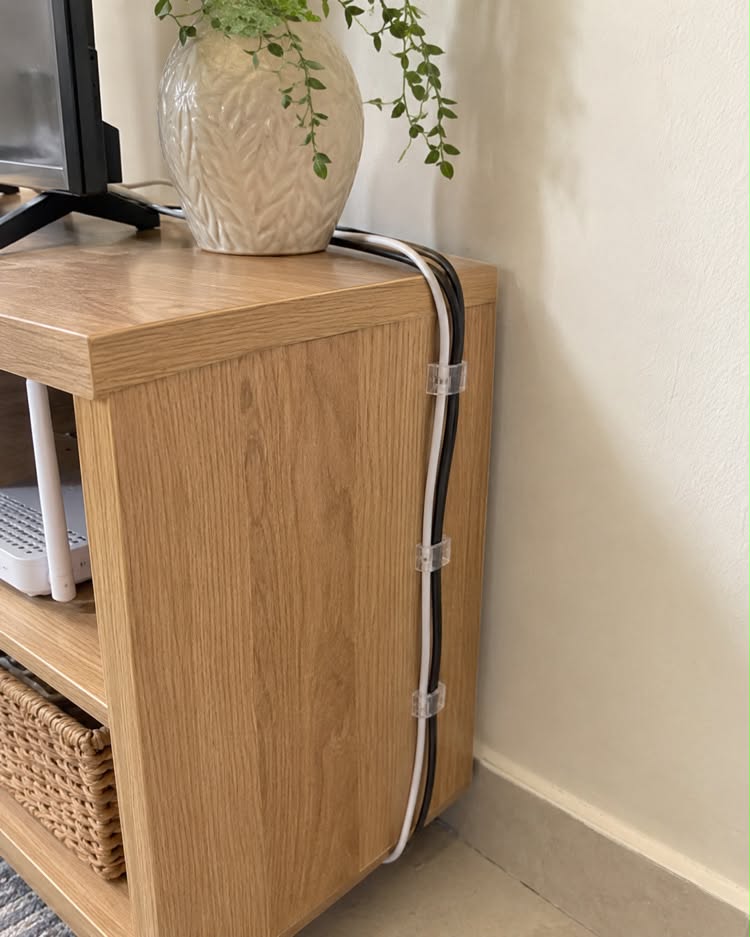
Wires behind the TV stand keep slipping out? Small cable clips fix that, and I love how cheap they are.
They stick onto a suitable surface and hold each cable in place. Use them along the back of a console, under a desk or beside a cabinet leg.
They are great for the router’s power cable and Ethernet cable, so nothing hangs towards the floor.
In a rental, sticky clips are handy. Check the surface and test a hidden spot first.
Keep cables away from hinges, sharp edges and places where they can get crushed.
Get these:
- Self-Adhesive Cable Clips: Guide single wires along furniture edges.
- Multi-Slot Cable Holders: Keep several cables in one place.
10. Create a Small Decor Corner Around Your Router

No room to move the router, and no way to hide the wires behind furniture? Then try what I’d do: stop trying to make it vanish.
Make a small decor corner around it instead. Put the router on an open shelf or console, then add a framed print, a small vase and one decorative object nearby. Suddenly it looks planned.
Just don’t cover the router or block its antennas and vents. Run the cables down the back using clips or a slim channel.
This works best in neutral rooms, where wood furniture and soft colours already feel calm.
Add these:
- Minimalist Ceramic Vase: A small decorative touch for the console.
- Neutral Framed Wall Art: Makes the router corner feel like part of your decor.
What Not to Do When Hiding Router Wires and Cables
Before you start, remember this (btw, it’s my golden rule): a neat setup should never cost you your internet speed or your safety.
Here are the mistakes to avoid:
- Don’t put the router in a sealed decorative box. Routers get warm and need airflow.
- Avoid metal storage boxes. Metal can block wireless signals.
- Don’t cover the antennas. Keep them clear and follow the maker’s advice.
- Don’t bundle power cables tightly. No crushing, sharp bends or tight coils around adapters.
- Don’t hide damaged wires. Replace them.
- Keep cables away from walkways. Loose wires can make you trip.
- Keep power adapters easy to reach. You may need to unplug or reset things.
- Avoid water and heat. Keep networking gear away from wet areas, heaters and direct heat.
One more thing: after you move your router, test your Wi-Fi in the places where you normally use it. A beautiful hiding spot is useless if the signal drops.
Conclusion
An ugly router corner doesn’t have to ruin a lovely home. A basket, a cable box, a few clips or a better-organised TV console can make a big difference.
My favourite combo: a woven basket for the power strip and loose cables, plus a slim raceway for any visible wire. It looks neat, and the router can still breathe.
You don’t need all ten ideas. Start with the one that fits your furniture and your cable mess.
Which idea would you try first? Tell me in the comments!